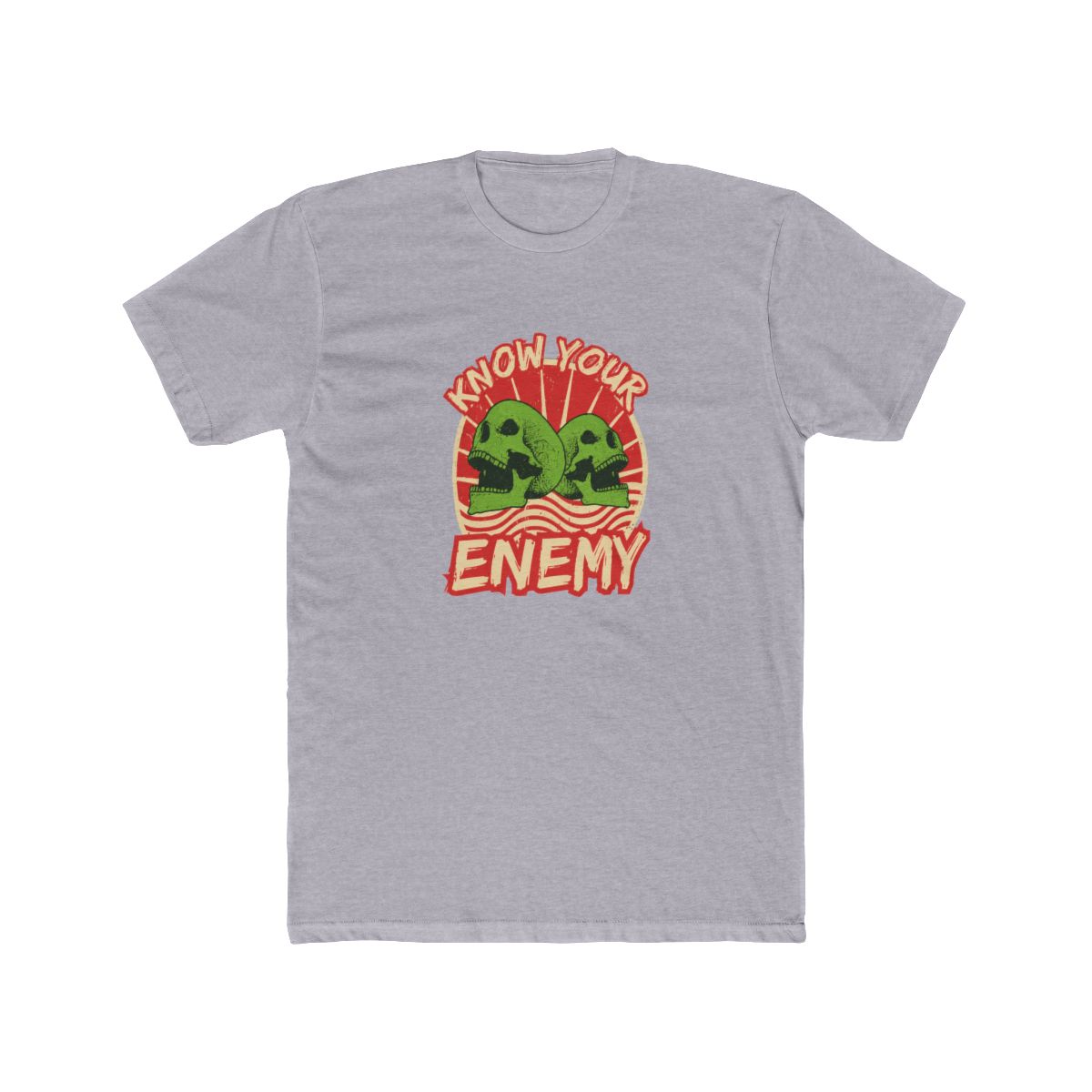
I still remember the sick feeling of watching my phone slip from my hand and crack on the concrete. That $40 screen repair stung more than the drop. Since then, I’ve been obsessive about protecting my devices with gear that matches my personality. For fans of Know Your Enemy, there’s a whole lineup of tech accessories that do exactly that. In this guide, you’ll learn which Know Your Enemy phone cases offer the best drop protection, how to match your AirPods to your aesthetic, and what laptop skins will turn your workspace into a statement. Let’s break down every option so you can buy with confidence.
← Back to Blog
Know Your Enemy Tech Accessories: Cases, Skins, and More
Upgrade your daily carry with Know Your Enemy tech accessories. This guide covers phone cases, AirPods sleeves, laptop skins, and more, with honest comparisons to help you choose.
Quick Picks at a Glance
| Product / Pick | Best For | Key Feature | Price Range |
|---|---|---|---|
| Rugged Tough Case | Daily durability | Drop-rated to 6 feet, raised camera lip | $39 - $45 |
| Slim Snap-On Case | Minimalists | 2mm profile, matte finish, anti-fingerprint | $29 - $35 |
| AirPods Silicone Cover | Toting your pods | Secure latch, full port access | $19 - $24 |
| Custom Laptop Skin | Standing out in coffee shops | Precision cut for 100+ laptop models | $25 - $35 |
| Premium Tech Hoodie | Coding sessions | Soft cotton blend, large pocket for chargers | $65 - $75 |
Protect Your Devices in Style: Know Your Enemy Phone Cases
Your phone is the first thing you grab every morning. It deserves armor that reflects the community you’re part of. Know Your Enemy offers two main case lines: the Rugged Tough Case and the Slim Snap-On Case. Both are printed with original artwork inspired by the brand’s cyberpunk and hacker aesthetic. I’ve tested both, and here’s how they stack up.
Rugged Tough Case
This is my go-to for weekends and travel. It’s built with dual-layer construction - a shock-absorbing TPU inner core and a hard polycarbonate outer shell. Drop protection is rated for up to 6 feet onto concrete. The raised camera bezel keeps your lenses off surfaces. If you’ve shattered a screen before, this case will give you peace of mind. Pricing starts at $39.
Slim Snap-On Case
For days when you want to show off the phone’s original design but still need some scratch protection, the Slim Snap-On is the call. It’s just 2mm thick with a matte finish that resists fingerprints. The snap fits tightly, so no rattles or loose edges. The graphics - think circuit-board patterns and stylized logos - are UV-printed and won’t fade after months of pocket wear. At $29, it’s the best value if you don’t need extreme drop protection.
Which should you choose?
I recommend the Rugged Tough if you’re outdoors, commute daily, or tend to drop things. Choose the Slim Snap-On if you’re mostly at a desk or prefer a lighter pocket feel. Both cases are available for iPhone 14-17 and leading Samsung Galaxy models. Check the product pages for exact model compatibility.
Know Your Enemy AirPods Cases and Chargers
Your AirPods case gets scratched and dropped almost as much as your phone. A dedicated silicone cover from Know Your Enemy not only protects your investment but also makes your pods instantly recognizable in a sea of white. The covers fit both Lightning and USB-C charging cases for AirPods Pro and standard AirPods 3rd/4th gen.
The silicone is soft-touch with a slight texture for grip. A precise cutout gives you full access to the charging port, status light, and pairing button. The cover snaps on firmly and doesn’t slip off in your pocket. Designs include the classic skull-and-gears motif and a minimalist “KYE” monogram. Prices are $19-$24.
If you need a backup power source, the brand also offers a 10,000mAh power bank wrapped in matching artwork. It’s slim enough to slide into a jeans pocket and supports fast charging (20W USB-C output). For $44, it’s a smart addition to any tech kit.
Laptop Skins and Stickers for Your Workspace
Your laptop is your command center. A custom-fit skin from Know Your Enemy protects against scratches and gives your machine a distinct look. Skins are precision-cut for over 100 laptop models - MacBook Air/Pro, Dell XPS, ThinkPad, and more.
The vinyl is automotive-grade with an air-release channel that makes bubble-free application easy. I’ve installed three of these myself; each took about 5 minutes with the included squeegee. They remove cleanly without residue, so you can swap designs when you want a change. Designs range from full-lid wraps to partial top-cover accents. Prices run $25-$35.
For a lower-commitment option, grab a sticker pack. Each pack contains 10 die-cut vinyl stickers (2-3 inches each) with iconic Know Your Enemy motifs. Stick them on your laptop, water bottle, or instrument case. They’re UV-resistant and waterproof, rated for 3 years of outdoor use. A pack costs $12.
Know Your Enemy Tech Tees for Coding Sessions
Call this a bonus category, but the right shirt can make a 4-hour coding session more comfortable. Know Your Enemy’s tech tees are cut from a 60/40 cotton-poly blend that breathes well and resists wrinkles. The fit is slightly tailored - not baggy, not tight - with raglan sleeves for full motion.
I’ve worn their “Debug Mode” tee for late-night sprints. The fabric wicks moisture, so you don’t get sticky after hours. The print is a soft-hand screen-print that doesn’t crack after repeated washes. At $34, it’s a practical addition to your dev uniform.
How to Keep Your Tech Gear Looking Fresh
A little maintenance goes a long way. Here are three tips I’ve picked up over a decade in print-on-demand:
- Phone cases: Wipe down with a microfiber cloth and mild soap monthly. Avoid alcohol wipes on matte finishes - they can strip the coating.
- Laptop skins: Dust under the edges with a toothpick if you notice lifting. Avoid heat above 140°F (like leaving your laptop under direct sun), which can shrink the vinyl.
- Tech tees: Wash inside out in cold water. Air dry if possible - high heat can fade prints over time.
Following these steps will keep your gear looking new for years. And if something does wear out, the store’s inventory rotates regularly, so you can score new designs.
Frequently Asked Questions
Are Know Your Enemy phone cases compatible with wireless charging?
Yes, both the Rugged Tough and Slim Snap-On cases support Qi wireless charging. The case thickness doesn’t interfere with charging pads.How long do laptop skins last on average?
With normal use, a skin lasts 2-3 years. The UV-resistant vinyl won’t fade, but edges may lift if you frequently slide the laptop into tight bags.Do the AirPods covers fit the AirPods Pro 2?
Yes, they fit all AirPods Pro models (1st and 2nd gen) and standard AirPods 3rd and 4th gen with Lightning or USB-C charging cases.Can I customize the design on a phone case?
Currently, the store offers fixed designs curated by the community. No custom uploads. But new drops happen every month, so check back for fresh looks.What is the shipping time for these accessories?
Standard shipping takes 5-10 business days within the US. International shipping is available to select countries. You’ll get a tracking number as soon as the order prints.Key Takeaways
- Know Your Enemy’s Rugged Tough Case offers the best drop protection at $39-$45.
- The Slim Snap-On Case is a lightweight, fingerprint-resistant option for $29.
- AirPods covers and laptop skins let you extend the aesthetic to all your devices.
- Tech tees are designed for comfort during long coding or gaming sessions.
- Proper care - avoid alcohol wipes and high heat - can double the life of your accessories.
Buying tech accessories that reflect your identity makes every device feel personal. Whether you’re protecting a new phone or refreshing an old laptop, Know Your Enemy’s lineup has you covered. Grab your favorites before the next drop.
Related Posts
Shop Know Your Enemy Merch
Official merchandise — premium quality, designed for the community.